Everything COD can do - at a glance
The Central Operations Dashboard (COD) unites network, security, operations and compliance as an integrated management system on a shared asset data basis and fully on-premises, and this page lists all features module by module.
The Central Operations Dashboard consolidates network, security, operations and compliance into a single platform, on a shared, living asset data basis and fully on-premises. This page lists the features module by module, each with a one-sentence description, and is deliberately intended as a compact reference for quoting and selection.
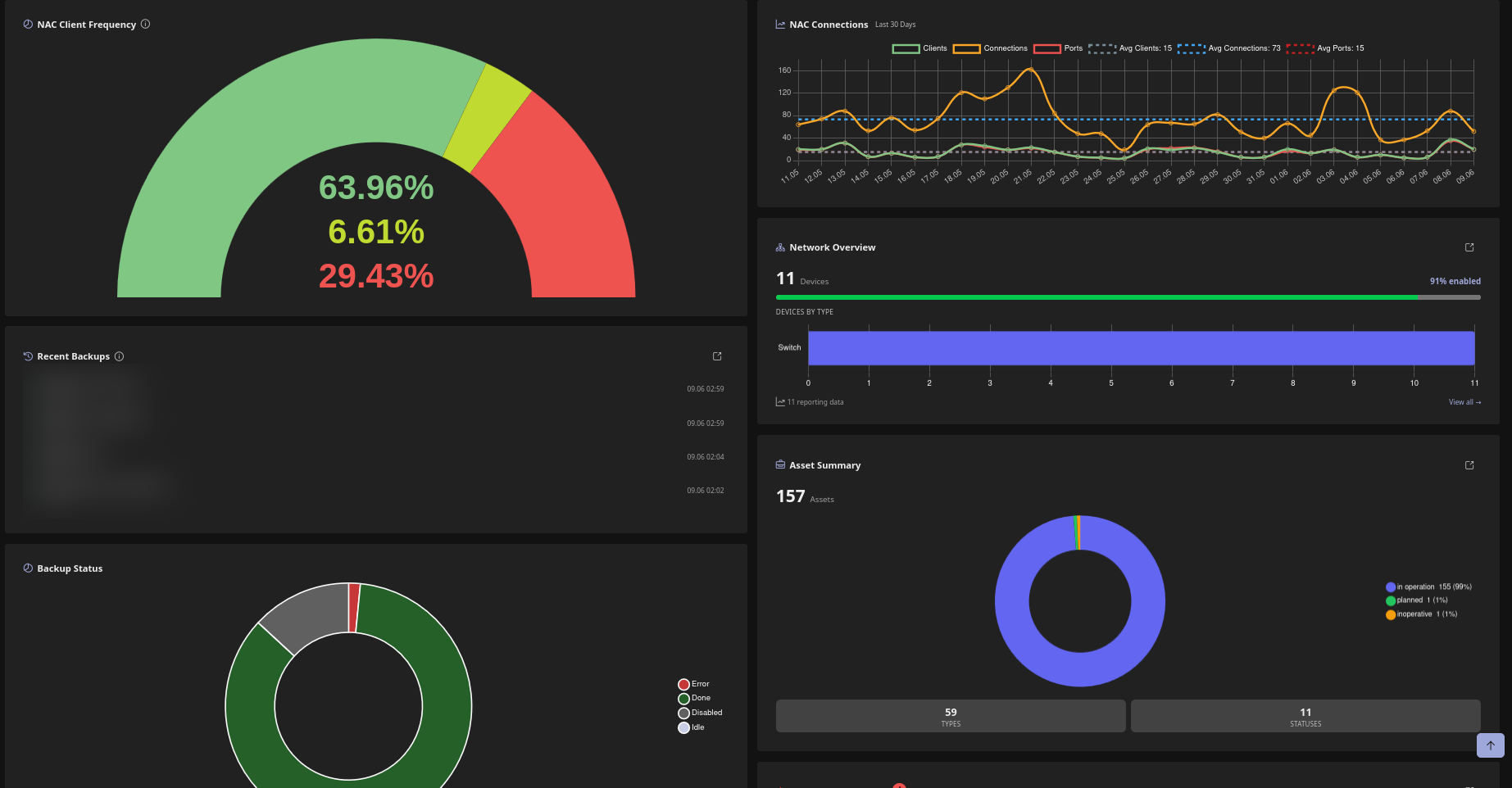
Platform & operations
The foundation every module builds on - one interface, many sites, full control.
- Multi-tenancy / sites - one instance manages any number of sites, cleanly separated; the last-used site is restored and switched via the header bar.
- Custom dashboards - each user assembles their own dashboard from tiles; layout and visibility are stored server-side and synchronized across devices.
- Global search - find content across modules via a keyboard shortcut directly from the header bar.
- White-label branding - application name, header, logo, favicon, login page and QR code design can be adapted to your colors - with live preview and logged.
- Role & permission hierarchy - menus and settings appear according to role, and higher roles reliably inherit the permissions of the roles below them.
- Two-factor authentication (TOTP) - TOTP with backup codes; administrators reset a user's 2FA, and users regenerate their codes according to tenant-specific policy.
- User self-service - on their own profile page, users maintain their password, email address and language preference themselves.
- Session security - a session timeout with advance warning and cross-tab synchronization protects inactive sessions, while live views keep you signed in.
- Calendar & appointments - an integrated calendar manages appointments including all-day entries, and a bell in the header bar shows the next upcoming appointment.
- Light/dark mode - the interface switches between a light and a dark theme at the click of a button.
- Per-page PDF printing - content can be output cleanly as a PDF, page by page.
- Reactive interface - loading and processing states are shown per action, so it is always clear what is currently being processed.
Network & Assets
Automatic inventory and multi-vendor control of your entire infrastructure.
- Automatic asset inventory - every device is tracked centrally as an asset - from IT systems through network hardware to the firewall - with its own category, model and vendor management.
- Live status display per device - in the network inventory you see, per device, the result of the last query (OK / Error / Unknown) together with the timestamp, the protocol used (SNMP / SSH / API) and the error cause.
- Network topology - visualize your network as an interactive topology with custom nodes and Layer 2 and Layer 3 labels.
- Layer 2 & Layer 3 dashboards - analyze your network separately by Layer 2 and Layer 3, each with its own charts and evaluations.
- Vendor analysis - a clickable treemap or a donut chart with key figures lets you zoom into the vendor distribution of your devices down to individual vendors.
- Multi-vendor switch control - run cable tests, turn ports on and off and control PoE across Cisco, Ruijie and Allied Telesis.
- MikroTik management - manage MikroTik devices along with their routes through a dedicated device management view.
- Subnet planner - plan and manage subnets including groups directly in the system.
- Asset import via CSV - bring in assets in large numbers via CSV, with preview, conflict reporting and repeatable import.
Monitoring
Zabbix data - multi-tenant, configurable and right at the asset.
- Zabbix integration - your Zabbix data - dashboard, hosts, templates as well as current and past problems - appears directly in COD.
- Multi-tenant host groups - each site only sees the host groups assigned to it, so a shared Zabbix server stays cleanly separated per customer.
- Configurable monitoring dashboard - freely assembled tiles (availability, top hosts by CPU/RAM/disk, problems by severity, 24-hour trend) with a selectable refresh interval.
- Monitoring right at the asset - enable, change or remove monitoring in the asset dialog, with existing network data such as address and SNMP community pre-filled automatically.
- Asset linking & gap detection - Zabbix hosts are linked to COD assets by name matching or at the push of a button, and a dedicated view shows unmonitored assets.
- Acknowledge problems - acknowledge open problems directly from COD with a mandatory comment, and the acknowledging user is recorded automatically.
- Detail pages & drill-down - dedicated detail pages per host and template link to the matching COD asset, and from the tiles you open details directly in the view.
- Traceability via COD provenance tag - Zabbix hosts created or changed by COD automatically receive a COD tag with user and timestamp, which documents their origin and makes them filterable in Zabbix.
Firewall & VPN
Central management of your OPNsense firewalls including VPN, rules and certificates.
- Firewall dashboard - status, vendor distribution, availability, firmware and update level as well as expiring certificates of all firewalls at a glance.
- Firewall self-registration - firewalls register themselves at the chosen site via the OPNsense plugin and land in a pending list for approval, which an administrator approves or rejects.
- Firewall rule editor - manage rules per interface, reorder them by drag and drop, toggle priorities and import/export the configuration as XML (the rollout of rules is currently in testing).
- Firewall comparison - compare zones, aliases or entire firewalls with one another to spot differences.
- VPN management (WireGuard, OpenVPN, IPsec) - manage VPN connections across all firewalls with a topology view, a realistic connection status per type and dedicated certificate management.
- VPN overview in the dashboard - dedicated dashboard widgets show connection status per VPN type, VPN traffic, OpenVPN server load and the age of the WireGuard handshakes.
- Certificate management & warnings - a detail dialog shows the complete chain, fingerprints, validity, SAN and key algorithm, and certificates that cannot be retrieved are reported in the dashboard.
- Reachability monitoring with outage email - firewalls are checked automatically by IP or hostname, and an outage email configurable per tenant names the site and affected devices, without flooding the mailbox.
- Encrypted firewall API credentials - the firewalls' API credentials stored for OPNsense access are kept encrypted (AES-256-GCM).
NAC & PKI
Network access control and a full-fledged certificate authority of your own.
- Network Access Control (NAC) - control network access through a FreeRADIUS-backed NAC solution with device polling and batch onboarding of clients via CSV import.
- Highly available NAC connection - multiple synchronized NAC instances with automatic failover keep access control available even if one instance fails.
- Your own certificate authority (PKI/CA) - operate the complete PKI lifecycle with CA, leaf and CRL certificates, multiple algorithms (RSA, ECDSA, EdDSA) and an encrypted key vault.
- Certificate issuance & export - issue endpoint certificates, export them password-protected as PKCS#12 and bundle them grouped by CA for migration.
- Revocation lists (CRL) - generate certificate revocation lists that update automatically at a configurable interval.
- Certificate synchronization - import an existing PKI via FreeRADIUS reconciliation and export managed certificates back out.
- TACACS management - configure TACACS directly through dedicated interface pages in the NAC area.
- Client groups - combine clients into groups, assign assets to them and import assignments via CSV.
- VLAN management - manage VLANs with automatic conflict checking that prevents overlaps.
Vulnerability Management (VAS)
Vulnerability scans with context - prioritizes what is truly dangerous (based on OpenVAS/Greenbone).
- Control scans (OpenVAS/Greenbone) - schedule, start, stop and resume vulnerability scans, track progress and zoom into the results.
- Manage scan building blocks - maintain targets, scan configurations, schedules, port lists and scan credentials (SSH, SMB, SNMP, ESXi) centrally.
- Vulnerabilities with context - findings with severity (CVSS), CVE references, affected assets, quality of detection as well as notes and overrides.
- Risk prioritization with EPSS - EPSS shows which vulnerabilities are most likely to be exploited, so you tackle the most dangerous ones first.
- Remediation tickets with SLA - from a finding you create a remediation ticket and track it across its lifecycle including SLA.
- Reports & delta comparison - generate audit-ready PDF reports and compare two scan versions as a delta (new vs. resolved).
- Compliance evaluation - audit evaluations by framework make your security posture demonstrable.
- Dashboard & asset score - a configurable dashboard (severity distribution, 30-day trend, top vulnerabilities, active scans) and an asset score by severity show the situation at a glance.
GRC & Compliance
An integrated management system on the same living asset data as your operations.
- A GRC platform instead of a pure ISMS - manage standards, document control, cases, measures and the org chart from one unified interface.
- Multi-standard catalog - a versioned, multilingual requirements catalog for ISO 27001/27002, ISO 9001, ISO 22301 and NIS2, including a guided edition change between standard versions.
- Standards matrix (integrated management system) - a matrix across all standards automatically shows, per requirement, the documents that implement it and treats overlapping requirements as a single decision.
- ISO 27001 controls & risk assessment - all 93 Annex A controls, asset-based risks as an interactive risk matrix, and rating scales per BSI 200-3 that can be adapted to your methodology.
- Statement of Applicability (SoA) - maintain the SoA per standard and see coverage honestly split into documented and covered by an approved document.
- Threat catalog (BSI) - use the pre-maintained catalog of BSI elementary threats, add your own threats and see, per threat, the documents that cover it.
- Standard references & document cross-references - tag documents directly to catalog requirements and link them to one another, with a view of tags, references and referenced-by relationships.
- Document control with two-stage approval - manage all controlled documents in a versioned way and approve them through an owner and countersignature approval under the four-eyes principle with a traceable log - also bundled as a batch approval.
- Resubmission & automatic review measures - due document reviews are flagged, and a daily run automatically creates a measure for every document due for review.
- Case management (reports, incidents, findings) - run cases with a sequential number, status history, deadlines and a review log, including SLA and an automatic GDPR Art. 33 branch with a 72-hour deadline.
- Measures board - run the operational to-do list for audit and GRC follow-up as a drag-and-drop board with standard references, configurable statuses and flexible assignment to teams, roles or individuals.
- Org chart - depict your organizational structure by drag and drop with a draft and approval workflow, including multiple roots and free-standing nodes.
- Document importer (Markdown, DokuWiki, Git) - import entire document trees from Markdown, archives, Git or DokuWiki with formatting preserved through a guided wizard - with conflict rules and source tracking.
- GRC dashboard - configurable tiles summarize documents, SoA coverage, cases including SLA, measures, threats and risks at a glance.
- Audit-ready PDF reports with TLP - export standard-coverage, risk, SoA and document-control reports as PDF with a TLP classification (up to AMBER+STRICT) and your own branding.
- Tamper-proof audit log - all relevant changes are logged immutably, append-only, with a justification and field-level tracking.
Backup
Cross-vendor configuration and database backups - central, scheduled and comparable.
- Cross-vendor backups - you define the backup source per template: file/folder download, shell command or MariaDB database dump.
- Scheduled & at the push of a button - control backup cycles per template via a cron expression and start single or many hosts at any time via “Execute Now”.
- Retention & host override - set retention by days or by count; per host you can specifically override cycle, limit and encryption.
- Jump host for isolated networks - via a configured jump host you also back up systems that are not directly reachable.
- Comparison, preview & download - compare backup versions as a diff (only differences or full text, down to file level for folders), preview contents and download individual files or entire folders as a ZIP.
- Status dashboard - configurable tiles show backed-up hosts and errors, status and OS distribution as well as recent activity, with drill-down and a selectable auto-refresh.
- CSV import & export - import and export hosts, templates and operating systems via CSV in a single pass.
Virtualization (Hypervisor)
Manage VMware standard networks centrally across hosts and clusters - with dry run.
- vCenter inventory - reads out data centers, clusters, hosts and folders including standard vSwitches, port groups (VLAN, NIC teaming), physical NICs as well as connection/power state and DRS/HA.
- vSwitch & port group management - create standard vSwitches (optionally with bundled NICs) and port groups across multiple hosts and clusters at once; you also change and delete port groups centrally.
- Dry run before every change - creating, changing and deleting can be simulated safely before it is rolled out (active by default).
- VLAN name mismatch detection - detects when the same VLAN ID is carried under differing port group names on identically named vSwitches across hosts.
- Multi-vCenter & managed templates - multiple vCenter connections as well as reusable “managed” port groups, vSwitches and domains for repeatable, consistent rollouts.
- Audit log & roles - every change is logged with type, sent and returned data, timestamp and user; access is role-based.
Captive Portal
Guest access via voucher - centrally through your OPNsense firewalls.
- Voucher guest access in bulk - generate any number of guest vouchers per OPNsense firewall with validity period, expiry time and group identifier in one step.
- QR code & printable PDFs - each voucher comes with QR codes (guest login or Wi-Fi join via SSID) and print-ready PDFs, individually or in a batch.
- Validity, expiry & cleanup - vouchers expire on the OPNsense side; you invalidate expired ones immediately (“Expire”/“Drop Expired”), and a nightly run additionally cleans up the database.
- See & disconnect active sessions - view running guest sessions with user, start time, IP and MAC address as well as last access, and disconnect them individually and immediately.
- Configuration per firewall - store database, SSID, Wi-Fi password, guest gateway and redirect URL per OPNsense firewall.
- Role-based delegation - separate read/create/change/delete permissions allow delegation, e.g. to the front desk; voucher passwords are stored encrypted in the COD database.
Integrations & interfaces
COD incorporates existing sources and signs in automatically to connected systems.
- CMDB connection (i-doit) - connect a tested i-doit instance per site and import selected objects read-only as COD assets through a guided wizard - with detection of already imported objects and repeatable import.
- Odoo Helpdesk link - link GRC cases per site directly to an Odoo Helpdesk ticket instead of typing the reference by hand.
- Plugin self-service - plugins receive their site-specific access key automatically upon registration, so firewalls and devices sign in without manual key management.
OTP / 2FA
Manage two-factor centrally - with self-service and a quick reset.
- TOTP & HOTP centralized - manage time-based and event-based one-time passwords centrally in COD, instead of scattered across individual authenticator apps.
- Self-service & reset - users restore their OTP themselves; if a device is lost, a manager/admin resets it at the click of a button - without touching the database.
- OTP groups & QR enrollment - organize tokens into groups and set them up quickly and with few errors via QR code.
- Active Directory & roles - AD users, too, manage their OTP in a role-based and multi-tenant way.
codPass - password & secrets management
Standalone, open-source password and secrets management - the COD integration is in preparation.
- Open source as a security feature - the open-source password and secrets manager from extocode GmbH; here in particular, openness is a trust feature, not a marketing one.
- Standalone-ready - codPass runs standalone today; the connection to the COD sign-in is in preparation.
- OTP & secrets management - integrated management of passwords, secrets and one-time passwords.
- Modernized & reviewed - security-reviewed and technically modernized; to be renamed “Stronghold” in the future.
Frequently asked questions
Request a live demo
We'll show you the features hands-on in your own environment, with no sales pressure, and on request we'll make the complete datasheet with all modules available to you as a PDF download.